Sign the Trading Key
One MetaMask signature creates the WakeTrades trading key on your Hyperliquid account. It can trade for your copies and can never withdraw.
To copy trades on your account, WakeTrades needs a trading key (an API wallet on Hyperliquid). You create it with one signature in MetaMask.
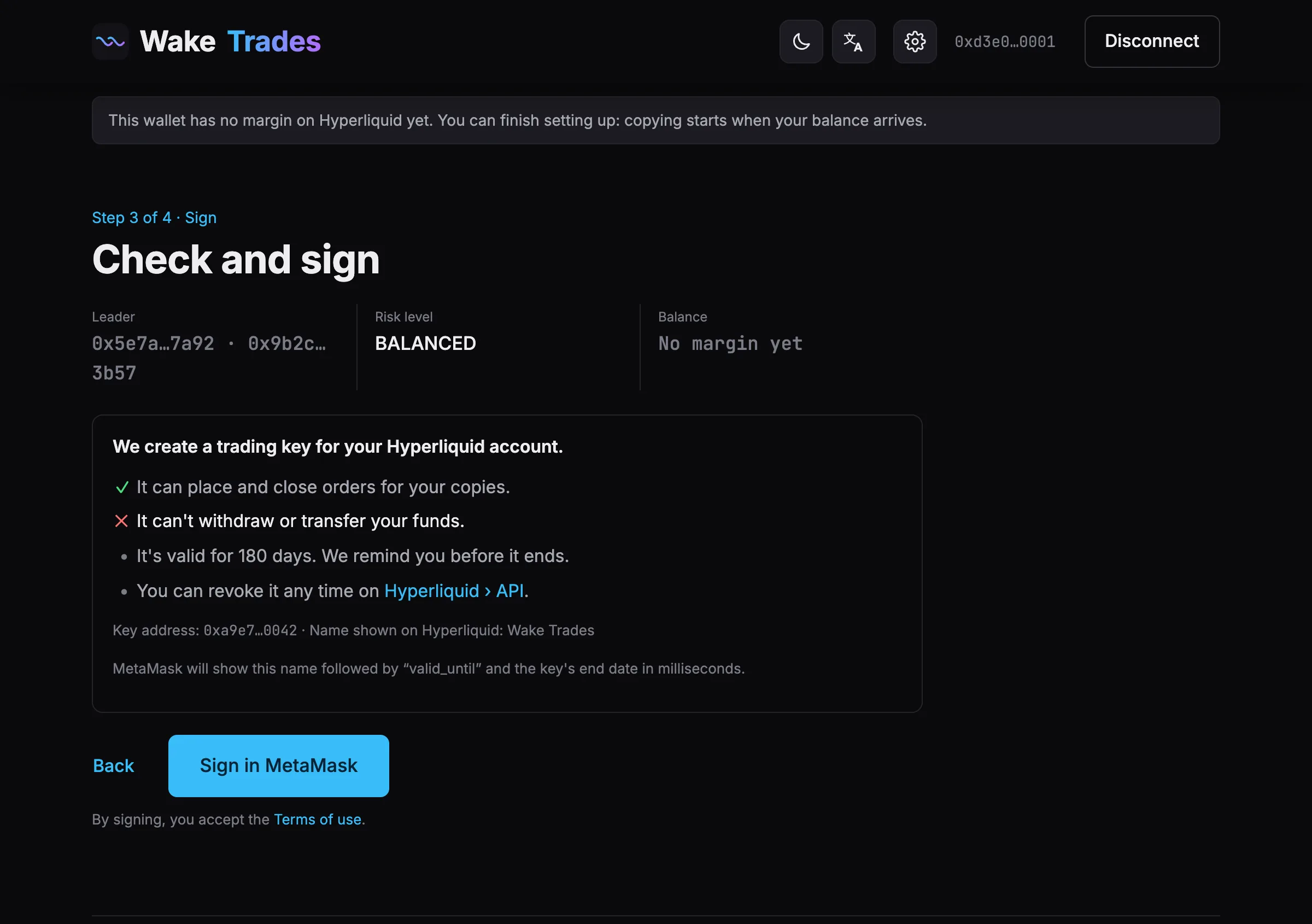
What the Key Can and Can't Do
- ✓ It can place and close orders for your copies.
- ✕ It can't withdraw or transfer your funds. Your money stays on your Hyperliquid account.
- It's valid for 180 days. We remind you before it ends: see Renew Your Trading Key.
- You can revoke it at any time on Hyperliquid › API, where it's named WakeTrades.
Sign
- Check the summary: your leader, your exposure level, your balance.
- Click Sign in MetaMask. MetaMask shows the name WakeTrades, followed by valid_until and the key's end date in milliseconds.
- Confirm in MetaMask, then wait a few seconds while Hyperliquid registers the key.
By signing, you accept the Terms of use.
If Hyperliquid Refuses the Key
| Message | What to do |
|---|---|
| This wallet has no funds on Hyperliquid yet… | Deposit USDC on Hyperliquid, then sign again. |
| Your Hyperliquid account already has 3 named API keys, the maximum. | Remove one on Hyperliquid › API, then sign again. |
| Hyperliquid hasn't registered the key yet. | Wait a few seconds and sign again. Nothing was charged. |
Next step: Link Telegram.