Settings and Notifications
WakeTrades settings — your leaders, your exposure level, market or limit orders for your copies, Telegram notifications and the export of your copy history.
Open Settings with the ⚙️ at the top of the page. New settings apply to your next copies: open positions keep the rules they were opened with. You can also change all of this in the Telegram bot.
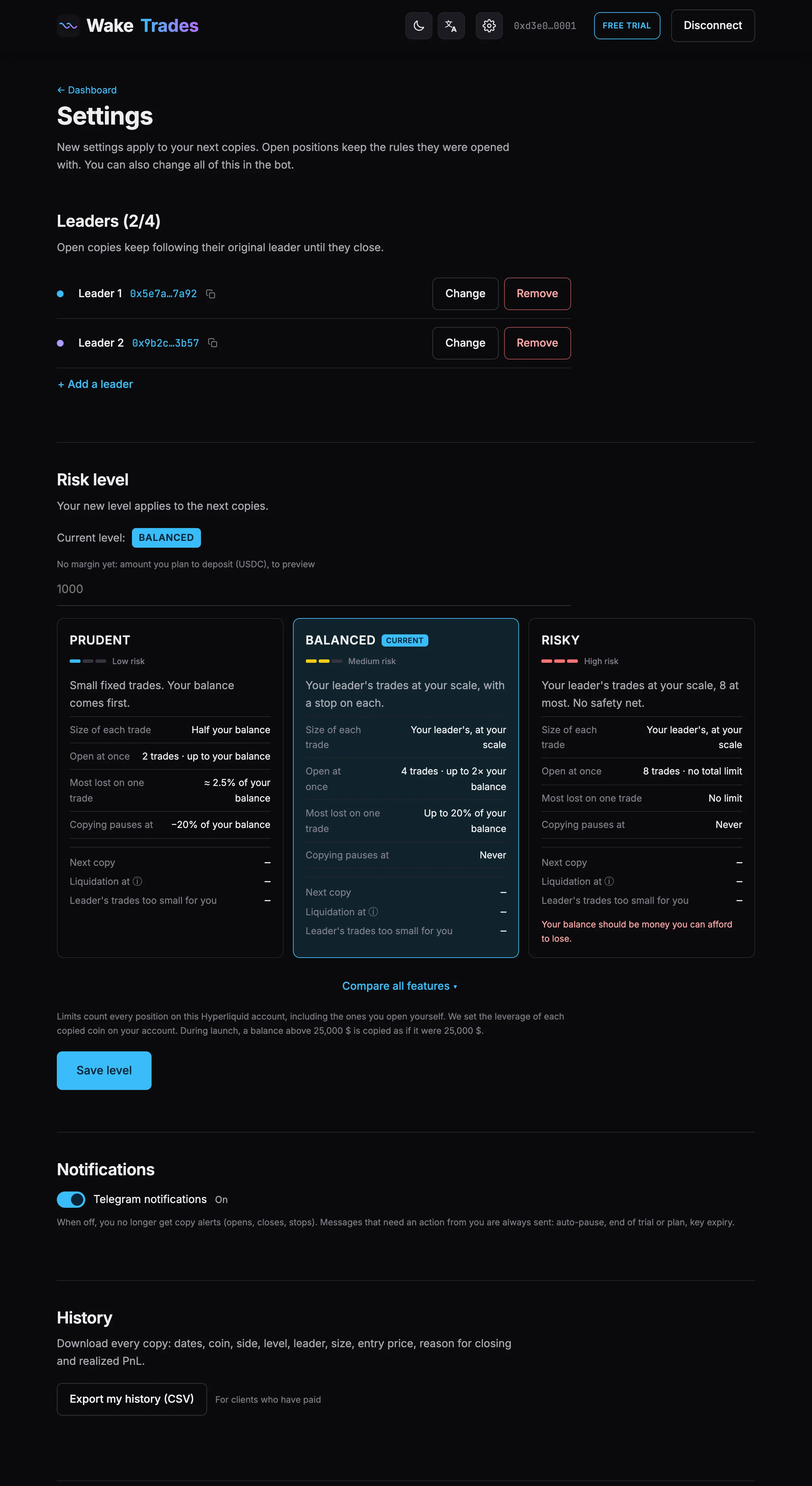
Leaders and Exposure Level
- Monitored Leaders — change, remove or add a leader. See Add, Change or Remove a Leader.
- Exposure level — pick a card, then Save level. See Change Your Exposure Level.
Market or Limit Orders
The Limit orders · lower fees switch sets how your copies enter a trade. You'll find it here and above your positions on the dashboard.
- On (default): limit. Your copy places a limit order at your leader's price, or at a better price if there is one, and pays the 0.015% maker fee. If it isn't filled within 1 minute, it enters at market instead (skipped if the price already moved more than 1%). Example: 30 copies of 2,500 USDC a month save about 22 USDC in entry fees.
- Off: market. Your copy enters as soon as your leader opens, at Hyperliquid's 0.045% taker fee. If the price already moved more than 1%, the trade is skipped.
While a limit order waits, it shows as Waiting at … in your positions, and the ✕ cancels it. If your leader closes during that minute, the order is canceled and Telegram tells you. Pausing your copy cancels waiting orders. Exits and stops always go at market.
Notifications
The Telegram notifications switch turns copy alerts on or off (opens, closes, stops). Messages that need an action from you are always sent: drawdown alerts, automatic stop, end of trial or plan, plan renewal reminders, trading key expiry.
Export Your History
Export my history (CSV) downloads every copy: dates, coin, side, level, leader, size, entry price, reason for closing and realized PnL. It's available once you have paid for a plan.