Connect Your AI Agent
Connect your AI assistant (Claude, ChatGPT or your own bot) to your WakeTrades account from your Profile, with one free MetaMask signature. Your funds stay in your wallet; you choose View only or Manage copying, and the agent can never withdraw or pay.
Let your AI assistant follow and manage your copy trading while your USDC stays in your own wallet. You sign once on waketrades.com, you give your agent a code, and you can disconnect it at any time.
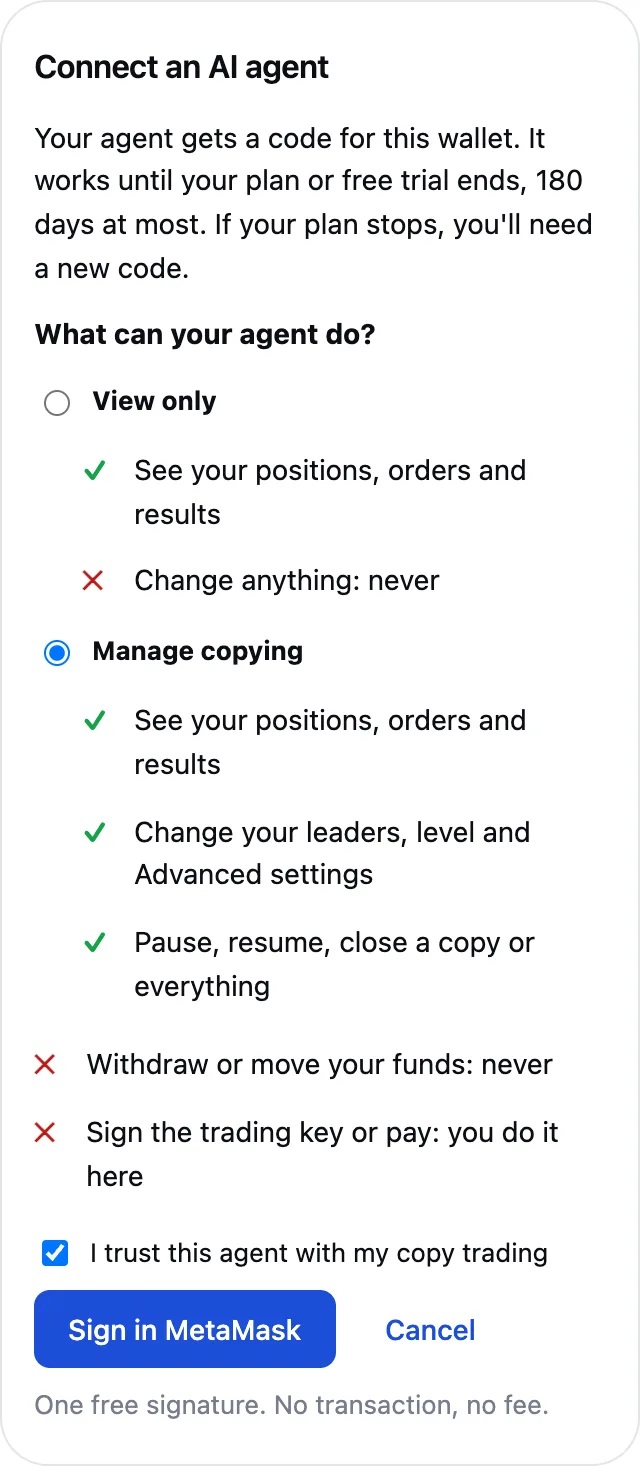
What Your Agent Can and Can't Do
| View only | Manage copying | |
|---|---|---|
| See your positions, orders and results | ✓ | ✓ |
| Change your leaders, exposure level and Advanced settings | — | ✓ |
| Pause, resume, close a copy or everything | — | ✓ |
| Withdraw or move your funds | Never | Never |
| Sign the trading key or pay for a plan | Never: you do it on waketrades.com | Never: you do it on waketrades.com |
Connect It in Four Steps
- Open your Profile (click your address at the top of the page). In AI Agent, click Connect an AI agent.
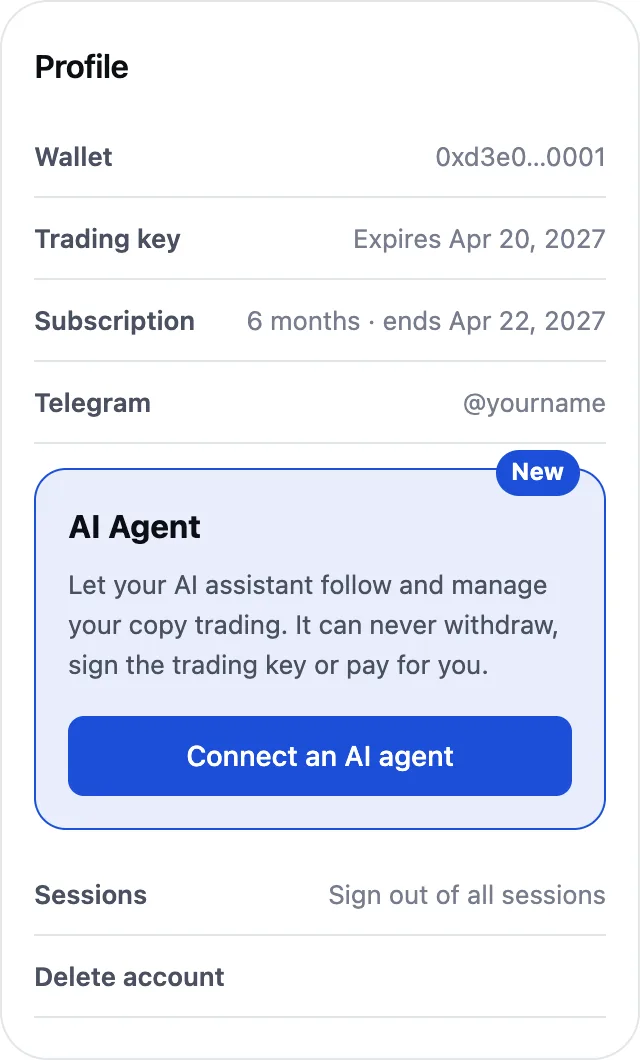
- Choose View only or Manage copying, tick I trust this agent with my copy trading, then click Sign in MetaMask. You need an active free trial or plan.
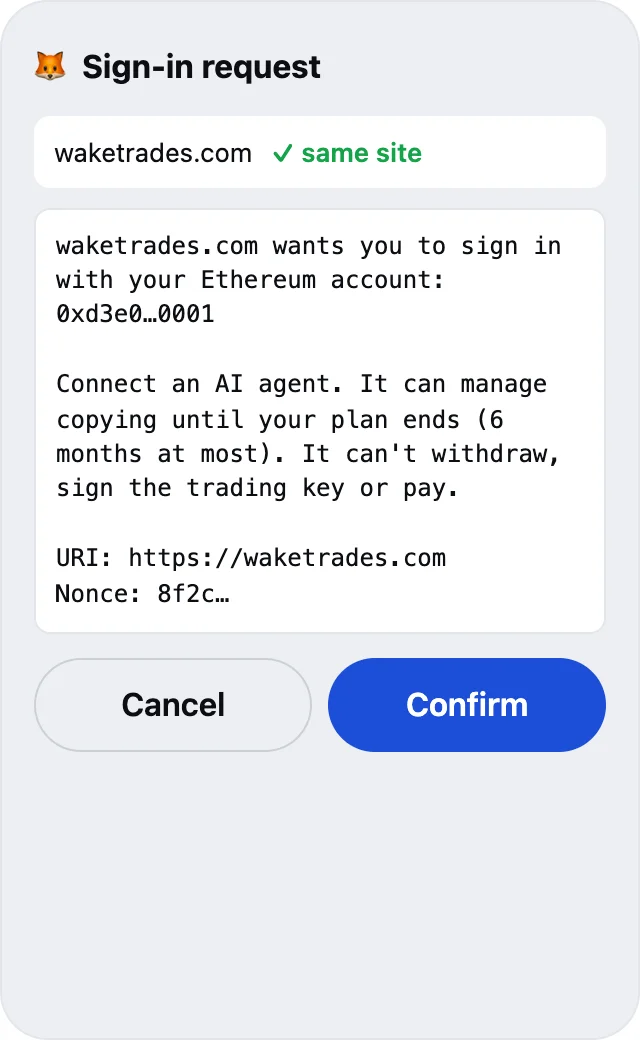
- Confirm in MetaMask. It's a free sign-in message from waketrades.com: no transaction, no fee, no permission on your funds.
- Copy your agent's code and give it to your agent: tell it, or put it in its MCP settings (
https://waketrades.com/mcp, headerAuthorization: Bearer <code>). The code is shown once. It works until your plan or free trial ends, 180 days at most from today.
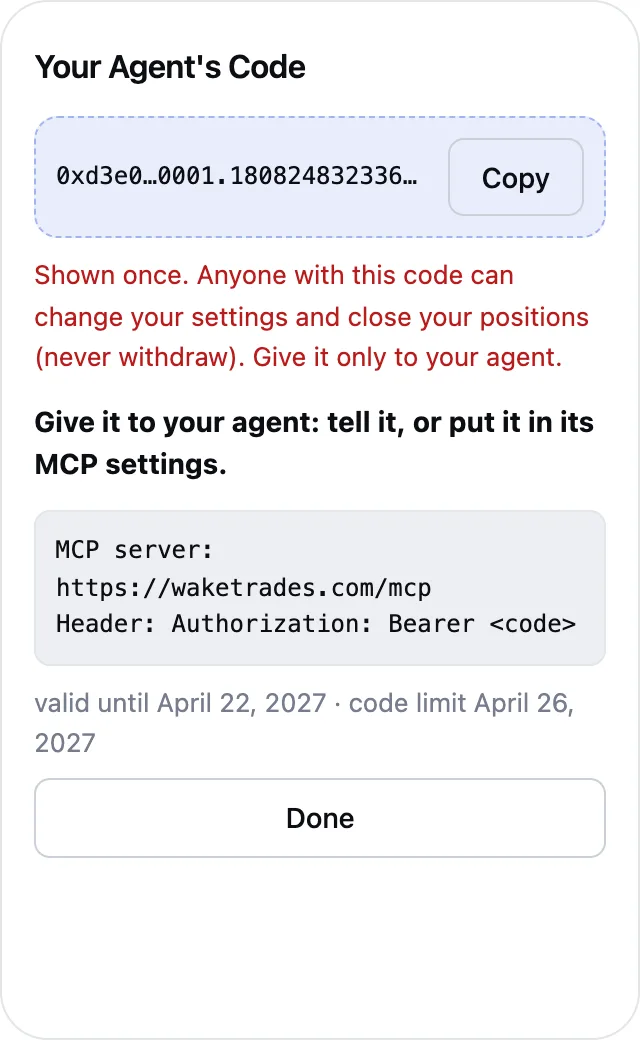
With Manage copying, anyone holding this code can change your leaders, level and settings, pause copying and close your positions. With View only, they can only see your account. Nobody can withdraw with it. Give it only to your agent, and click New code or Disconnect agent if you think it leaked.
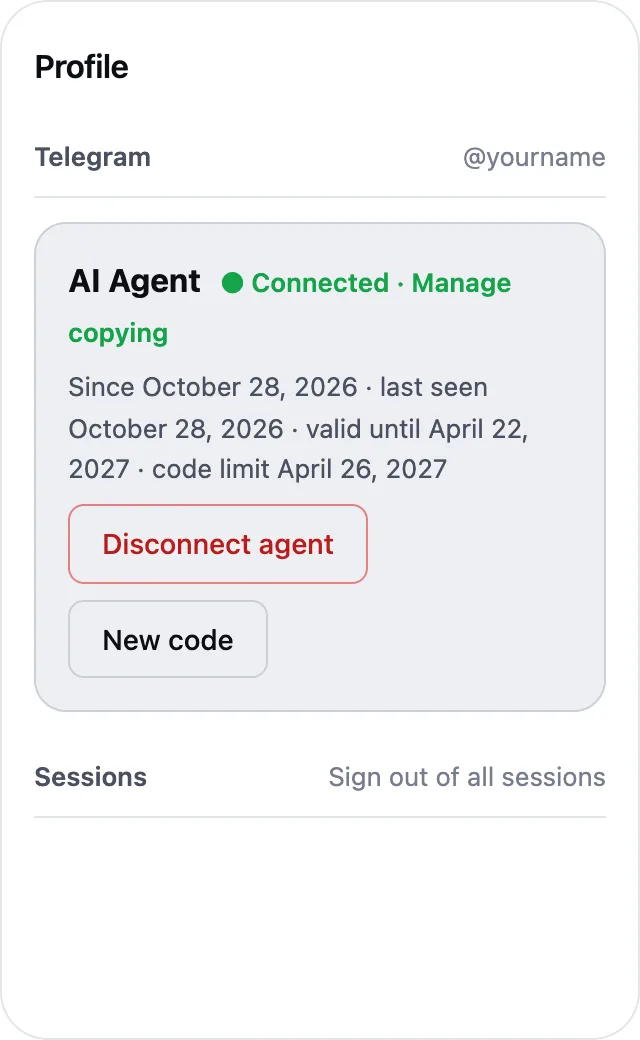
Your Profile then shows Connected, the access you chose, since when, when the agent last used the code, until when it is valid and its 180-day limit. Telegram tells you each time an agent is connected or disconnected, even with notifications muted.
One Code at a Time
Only one code from your Profile works at a time: New code gives a new one and signs out the previous one at once. Use it to change agents, or if the code may have leaked. A code works for any program that holds it, so give it to one agent only. An agent with its own wallet signs in by itself and doesn't use this code.
When the Code Ends
- After 180 days, or earlier when your plan or free trial ends. Renewing your plan before it ends keeps the same code working, never past its 180 days. If the 180 days come before your plan ends, you get a reminder 14 days, 7 days and the day before, on Telegram, by webhook and in your Profile.
- If your plan stops and you pay again later, the old code doesn't come back: create a new one.
- When a code ends, your agent loses access. Copying goes on, as your plan allows.
Then open Profile › AI Agent, click Create a new code, sign, and give the new code to your agent.
Disconnect or Stop Your Agent
| What you do | Where | Your agent | Your copying | This browser |
|---|---|---|---|---|
| Disconnect agent | Profile › AI Agent | Signed out at once | Goes on | Stays signed in |
| New code | Profile › AI Agent | Old code signed out, new one works | Goes on | Stays signed in |
| Sign out of all sessions | Profile › Sessions | Signed out | Goes on | Signed out |
| Pause or Close Everything | Dashboard or Telegram bot | Keeps access | Paused, or every copy closed | — |
| Remove the WakeTrades key | Hyperliquid › API | Keeps access, but nothing is copied any more | Stopped | — |
| Your plan or free trial ends, or 180 days pass | Automatic | Code ended: create a new one | Follows your plan | — |
What You Still Do Yourself
| What | When | Where |
|---|---|---|
| Deposit USDC on Hyperliquid | At the start, then whenever you want | Hyperliquid |
| Sign the trading key | Once, then every 180 days | waketrades.com |
| Pay for a plan | At each plan | waketrades.com (your agent can prepare and check it) |
| Connect your agent | Once, then every 180 days at most, or after your plan stops | Profile › AI Agent |
An agent with its own wallet doesn't need any of this: it signs up and does everything itself. See Let Your AI Agent Copy Trade.