Pay With USDC
Pay your WakeTrades plan in USDC from your Hyperliquid account with one MetaMask signature. No automatic renewal.
You pay in USDC from the Hyperliquid account of the wallet you copy with (the one connected on the site), with a signature in MetaMask: from your perps balance, or from your spot balance if you use a unified account.
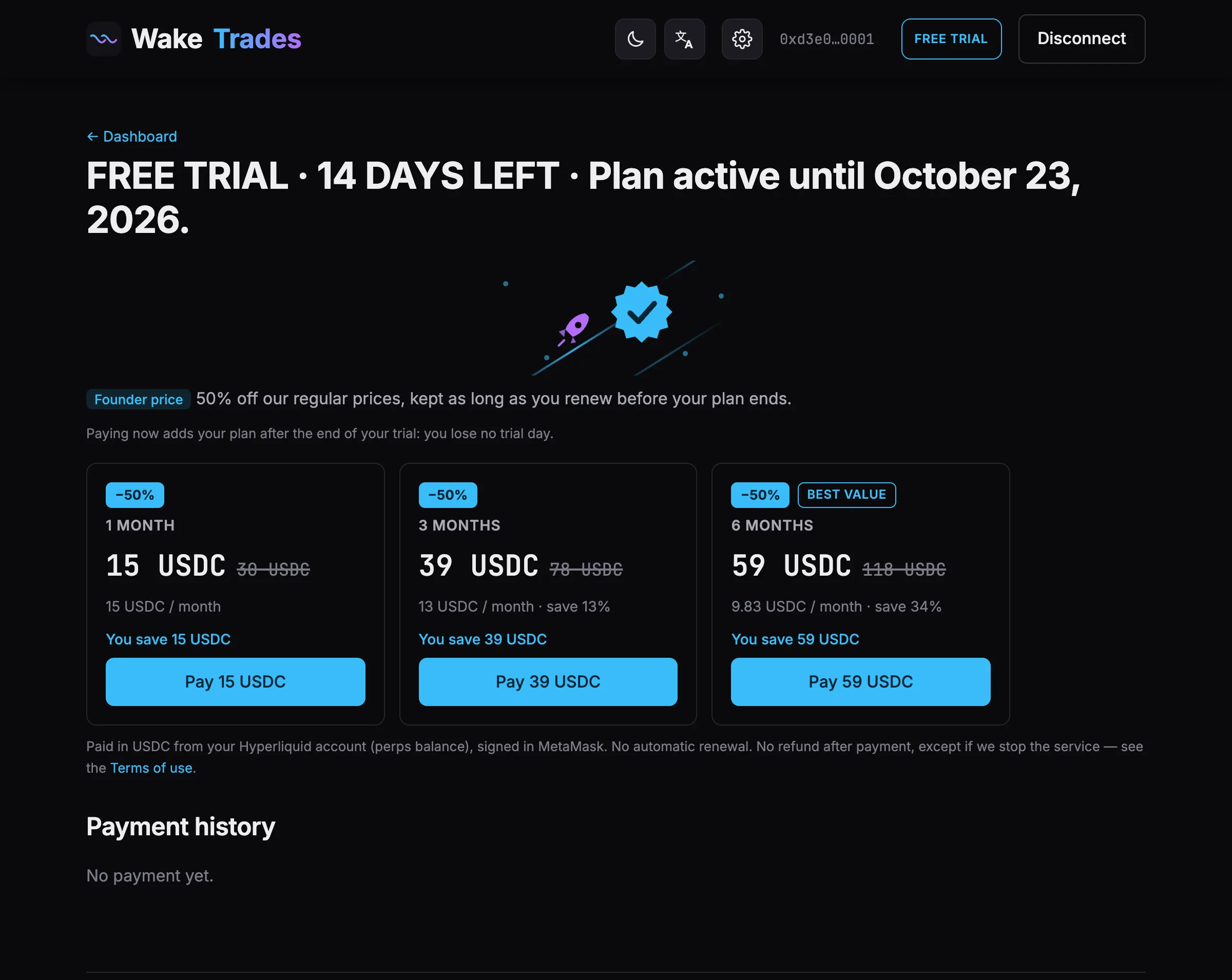
Pay
- Open Subscription: click the plan badge at the top (Free trial · 14 D), a plan card on the home page, or Choose a plan 🌟 in the bot.
- Choose 1, 3 or 6 months and click Pay via Hyperliquid.
- Confirm in MetaMask, then wait a few seconds while Hyperliquid makes the transfer.
- Payment received — thank you! Your plan's end date is shown at the top of the page.
Each payment appears in Payment history: date, plan, amount, end date and transaction.
Good to Know
- Keep at least the price of the plan free in your Hyperliquid account (perps or spot).
- Open positions don't block paying. The payment is a plain USDC transfer: it only needs enough free USDC. A position you hold only locks its margin — for example, a position using $2 of margin on a $190 account leaves about $188 free to pay with.
- Sign with the wallet connected on the site.
- No automatic renewal. No refund after payment, except if we stop the service — see the Terms of use.
If the Payment Fails
| Message | What to do |
|---|---|
| Not enough free USDC for this plan. | The message shows what is free in perps and in spot. Add USDC, then try again. Nothing was charged. |
| Hyperliquid refused the transfer. | Check that enough USDC is free in your Hyperliquid account, then try again. Nothing was charged. |
| Sign with the wallet connected here. | Switch MetaMask to the account connected on the site. Nothing was charged. |