Pause, Resume and Close
Pause copying, resume it, close one copied position or close everything at market — from the dashboard or the Telegram bot.
You stay in control at all times, from the dashboard or from the bot (⚙️ Controls).
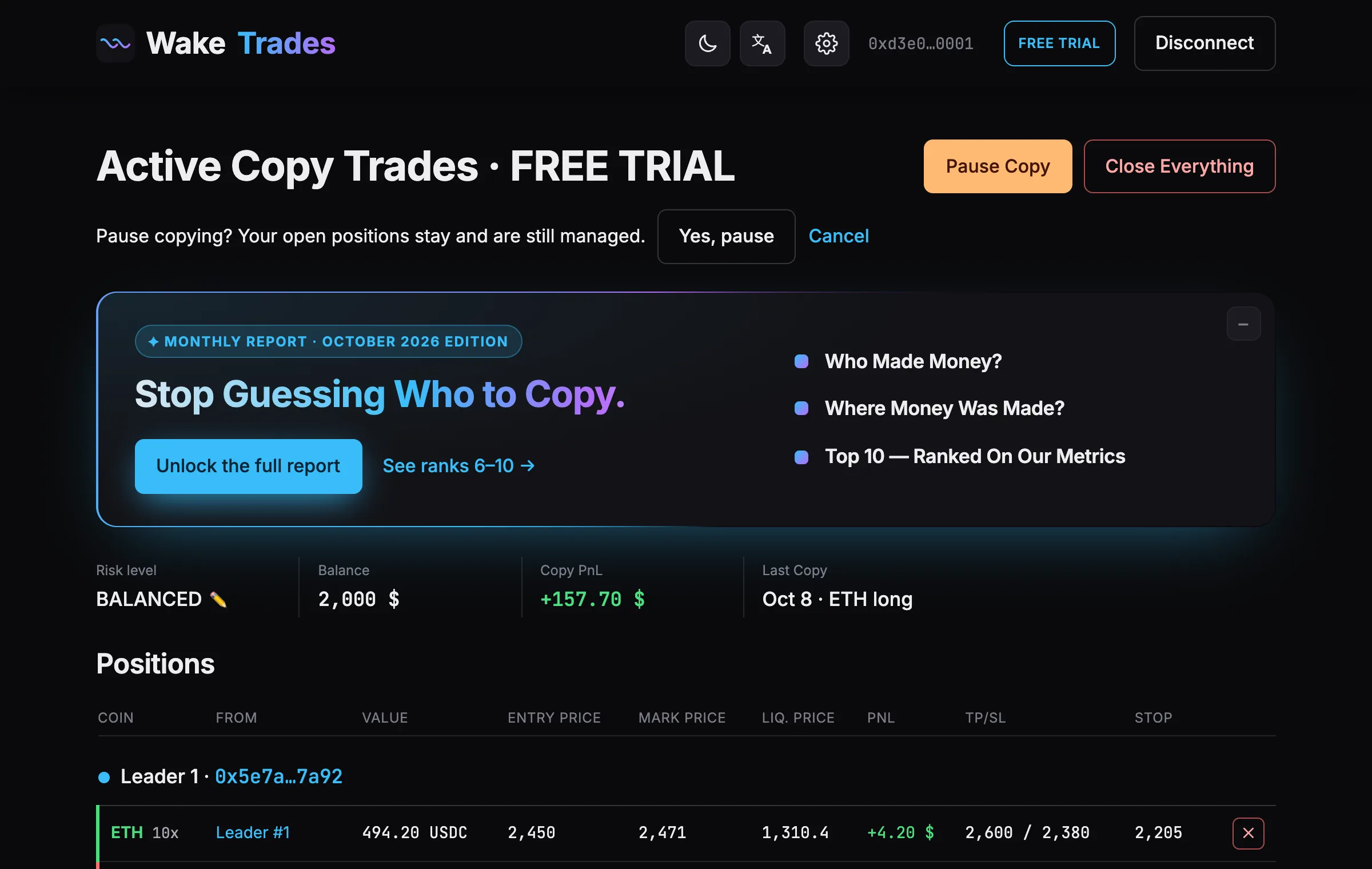
Pause Copy
Pause Copy stops new copies. Your open copies stay and are still managed: their stops stay on Hyperliquid, and they close when your leader closes.
- Click Pause Copy on the dashboard.
- Confirm with Yes, pause.
Resume
When copying is paused, Resume replaces Pause Copy. New trades of your leaders are copied again from that moment; trades they opened during the pause are not.
Close One Copy
Click the ✕ at the end of a position, then confirm. That copy closes at market; the others are not affected.
Close Everything
Close Everything closes all your copied positions at market, then pauses copying.
- Click Close Everything.
- Confirm with Yes, close everything.
If a position can't be closed right away, we keep retrying and tell you which one: you can also close it yourself on Hyperliquid.
Automatic Pauses
| Pause | Why | How to restart |
|---|---|---|
| Automatic stop | Advanced only, if you set one: your account fell by the drawdown you chose, so every copy was closed and copying paused. | Click Resume when you're ready. |
| Telegram not linked | Your Telegram was disconnected (and no webhook is linked). | Link a Telegram again from your Profile. |
| Trial or plan ended | No new copies without an active plan. Open positions are managed until they close. | Choose a plan. |
| Position opened by hand | A position you opened yourself (on Hyperliquid, in MetaMask Perps or in another app) is on the account: new copies wait, because your real exposure would be unknown. Last Orders stays at No copy order yet. It doesn't stop you from paying a plan. | Close that position on Hyperliquid: copying starts with your leaders' next trades. |
| Trading key expired or revoked | WakeTrades can't place orders any more. Your stops stay on Hyperliquid. | Sign a new key. |
Drawdown alerts never pause copying by themselves. Each alert offers one-tap actions: close losing positions, close all, pause new copies or do nothing. See The Four Exposure Levels.
If you change or close a copied position yourself on Hyperliquid, WakeTrades stops following it and removes its own stop. The bot tells you.